
How Much Does It Cost to Build a Multi-Vendor Marketplace in 2026?
06 Oct, 2026


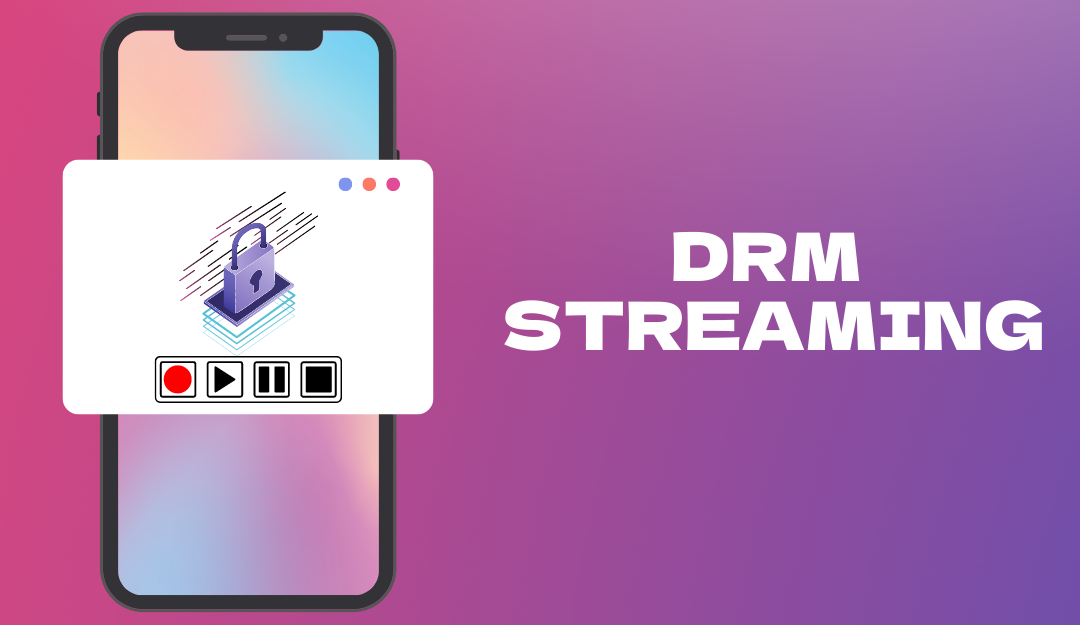
As premium video content becomes a primary revenue source for creators, protecting intellectual property is more important than ever. DRM serves as the foundation of a secure VOD platform by encrypting content, controlling playback rights, and ensuring that only authorized viewers can access videos. However, effective protection requires more than DRM alone. By combining multi-DRM technology with authentication, watermarking, tokenized access, session controls, and continuous monitoring, creator apps can significantly reduce piracy risks while delivering a seamless viewing experience. Investing in robust DRM protection not only safeguards valuable content but also strengthens audience trust and supports sustainable growth in the competitive creator economy.
The creator economy has transformed how digital content is produced, distributed, and monetized. From online educators and fitness trainers to filmmakers and influencers, creators increasingly rely on Video-on-Demand (VOD) platforms to deliver premium content to their audiences. However, with the growth of digital video consumption comes a significant challenge: content piracy.
Unauthorized downloading, screen recording, credential sharing, and content redistribution can severely impact a creator’s revenue and intellectual property. To address these risks, implementing Digital Rights Management (DRM) protection has become essential for creator applications offering premium video content.
This article explores the importance of DRM for VOD platforms and provides a practical guide to implementing secure DRM protection in creator apps.
Digital Rights Management (DRM) refers to a set of technologies that control how digital content is accessed, copied, and distributed. In video streaming, DRM encrypts media files and ensures that only authorized users and devices can decrypt and play the content.
Unlike basic video encryption, DRM systems provide license-based access control. Even if someone gains access to the encrypted video file, they cannot view it without a valid decryption license issued by the DRM server.
Modern DRM solutions are supported by major device ecosystems:
Google Widevine for Android devices and Chrome browsers
Apple FairPlay Streaming for iOS, iPadOS, Safari, and tvOS
Microsoft PlayReady for Windows and Xbox platforms
Together, these technologies provide broad coverage across smartphones, tablets, desktops, smart TVs, and streaming devices.
Many creators assume that placing content behind a login or subscription wall is sufficient. However, premium content remains vulnerable to multiple forms of piracy.
Common threats include:
Users may attempt to extract video files directly from network requests or browser developer tools.
Modern screen-capture tools can record premium content while it is being played.
Subscribers may share login credentials with multiple users, reducing subscription revenue.
Downloaded or recorded content can be uploaded to social media, file-sharing websites, or piracy platforms.
DRM significantly reduces these risks by enforcing secure playback policies and controlling access at the device level.
A secure VOD platform typically includes several components working together.
The original video is converted into multiple resolutions and bitrates to support adaptive streaming.
Typical outputs include:
240p
480p
720p
1080p
4K
Adaptive bitrate streaming ensures optimal playback quality across different network conditions.
Before distribution, video segments are encrypted using industry-standard encryption algorithms such as AES-128 or Common Encryption (CENC).
Encryption prevents unauthorized access to the raw video content.
The license server authenticates viewers and issues playback licenses.
When a user presses play:
The video player requests a license.
The DRM server validates the user.
A temporary decryption key is issued.
The video is decrypted and played securely.
Without a valid license, playback is denied.
The video player must support DRM technologies and secure playback environments.
Popular DRM-compatible players include:
Shaka Player
Video.js with DRM plugins
ExoPlayer
AVPlayer
Bitmovin Player
THEOplayer
The player handles license requests and secure content decryption automatically.
Creator apps often serve audiences across multiple platforms. Therefore, a multi-DRM approach is recommended.
A multi-DRM solution combines:
Widevine for Android and Chrome
FairPlay for Apple devices
PlayReady for Windows ecosystems
Instead of managing each DRM system separately, creators can use a unified DRM provider that abstracts the complexity and delivers licenses across all supported platforms.
This approach simplifies implementation while ensuring consistent content protection.
Upload source videos to a media processing pipeline.
The encoding workflow should:
Generate adaptive bitrate renditions
Segment videos for HLS or DASH streaming
Create optimized playback formats
This stage ensures compatibility with different devices and network conditions.
Configure the packaging system to encrypt video segments using DRM-compatible encryption.
Most cloud video platforms support:
Widevine packaging
FairPlay packaging
PlayReady packaging
Encryption keys should be stored securely and never exposed in client applications.
License policies define how content can be consumed.
Common restrictions include:
Playback expiration
Device limitations
Concurrent stream limits
Geographic restrictions
Offline viewing permissions
These controls help creators protect premium content while maintaining a positive user experience.
Embed a DRM-compatible player within the application.
The player should:
Request licenses securely
Support encrypted HLS or DASH streams
Handle token-based authentication
Prevent unauthorized playback attempts
Mobile apps should use native DRM frameworks whenever possible for maximum security.
DRM should always work alongside robust authentication.
Recommended methods include:
JWT-based authentication
OAuth authentication
Secure session management
Subscription validation
Only verified users should be allowed to request playback licenses.
While DRM is highly effective, it should be combined with additional security layers.
Visible or invisible watermarks can embed user information directly into the video stream.
If leaked content appears online, creators can identify the source account responsible for the leak.
Streaming URLs should be generated dynamically with short expiration times.
Expired URLs become invalid, reducing unauthorized sharing.
Many mobile operating systems provide APIs that help detect or block screen recording and screenshots.
Although not foolproof, these measures add another layer of protection.
Limit the number of devices that can access an account simultaneously.
This reduces credential sharing and protects subscription revenue.
All communication between applications and backend services should use HTTPS and authenticated API requests.
Sensitive keys should never be stored directly in client-side code.
Security is an ongoing process rather than a one-time implementation.
Creators should continuously monitor:
License request activity
Playback failures
Geographic access patterns
Account-sharing behavior
Suspicious traffic spikes
Advanced analytics can help identify piracy attempts and unusual usage patterns before they become widespread issues.
To maximize content protection, creator apps should follow several best practices:
Use multi-DRM for cross-platform compatibility.
Encrypt all premium video content.
Implement secure authentication and authorization.
Use short-lived playback tokens.
Add forensic watermarking for premium assets.
Restrict concurrent sessions.
Regularly rotate encryption keys.
Monitor playback and licensing activity.
Keep video players updated with the latest security patches.
Conduct periodic security audits.
Combining these measures creates a comprehensive defense against content theft.