How Much Does It Cost to Build a Multi-Vendor Marketplace in 2026?
06 Oct, 2026


Learn what website cloning is, how it works, legal vs illegal practices, development costs, and how businesses build custom platforms inspired by market leaders.
Businesses often study established platforms when planning a new website or web application. An eCommerce marketplace may examine Amazon, a transportation service may look at Uber, and a booking business might research Airbnb. The goal is not to copy those companies, but to understand what features and workflows make them effective for users, and then build an independent platform designed around the business's own goals.
In software development, this approach is often referred to as website cloning. In practice, it means analyzing how a reference product works—its user roles, navigation flow, and core features—and writing an independent application that provides similar functionality. A development team does not copy backend code, steal graphics, or download proprietary files. Instead, developers build the product with fresh source code, an independent database structure, unique visual design, and business rules tailored to the client through custom software development.
However, many business owners still wonder what website cloning really involves in practice. Does it mean copying another site, and is it legally sound? In this guide, we explain the practical clone website meaning, how development works step by step, the legal boundaries between recreating workflows and copying intellectual property, and what factors determine project scope and cost.
Website cloning can be legitimate when the platform is independently developed and the project complies with applicable intellectual property, copyright, trademark, licensing, and other relevant laws. It is fundamentally distinct from copying copyrighted text, downloading proprietary source code, or infringing on trademarks.
In practical terms, website cloning is the process of building an independent web application inspired by the core structure, operational workflows, and user experience of an established platform. Instead of spending months testing whether users understand an unfamiliar interface, businesses adopt proven user experience patterns that customers already know and trust.
When a development team builds a platform inspired by an existing product, the work begins by mapping out its functional building blocks rather than replicating its visual styles:
In commercial practice, website cloning projects typically fall into one of three execution models:
Built from scratch using an independent codebase, custom UI/UX design, and dedicated database architecture tailored specifically to a niche vertical or regional market.
Deploying a pre-built foundational platform or clone script with established core logic, then customizing branding, payment gateways, and feature modules for deployment.
Non-commercial sandbox builds used by development teams to test complex features, high user traffic, or new software architectures before building a commercial product.
Crucially, a professional website clone does not use backend source code, server scripts, or database records from the reference platform. It is an independent software system built to deliver comparable or improved functionality under its own brand identity.
Building a reliable web platform inspired by an existing product requires structured software development practices. When an engineering team executes a cloning a website project, the development lifecycle typically follows six disciplined phases:
Developers begin by analyzing how the reference platform works for users and administrators. This includes reviewing page layouts, navigation structure, mobile responsiveness, and order workflows (such as how an order moves from pending to paid to fulfilled). Teams also examine public data requirements without inspecting or touching proprietary backend code.
Large platforms often have thousands of micro-features developed over many years. Trying to build everything at once can lead to budget overruns and delayed launches. An experienced development team works with the business to separate core initial features from secondary enhancements. For example, user authentication, catalog search, order checkout, and payment processing are prioritized for launch, while complex loyalty tiers or automated marketing systems can be introduced in later updates.
Rather than copying the visual presentation of the reference platform, designers create an independent visual identity with dedicated typography, color palettes, custom icons, and component layouts. While the design maintains familiar conventions—such as clear navigation bars and step-by-step checkout progress—the aesthetic and branding are completely unique to the client's business.
Engineers write original source code for both the user interface and backend server using modern full-stack web development methodologies. The backend is typically built using modern frameworks like Laravel (PHP), Node.js, Python, or Go, paired with reliable databases (such as MySQL or PostgreSQL) optimized for speed and data security. The frontend is built using modern responsive technologies (like React, Vue, or Blade templates) to deliver fast page loads and seamless mobile experiences.
Modern platforms rely on specialized third-party services for essential workflows. Developers configure secure payment gateways (such as Stripe, PayPal, or local processors) with automated payment confirmation handlers, cloud media storage (AWS S3 or Cloudflare R2), geolocation APIs (Google Maps API), and transactional notification services to manage emails and SMS alerts reliably.
Before launch, the platform undergoes thorough functional testing, mobile device checks, browser testing, and security reviews to protect against common web vulnerabilities, unauthorized access, and data leaks. Once verified, the application is deployed to production cloud hosting with SSL encryption, automated backups, and performance caching via our server deployment and management protocols.
When businesses discuss website cloning, they rarely mean an exact copy. Instead, they mean building a custom, industry-specific platform inspired by proven business mechanics and user interactions. Here are five practical commercial project archetypes:
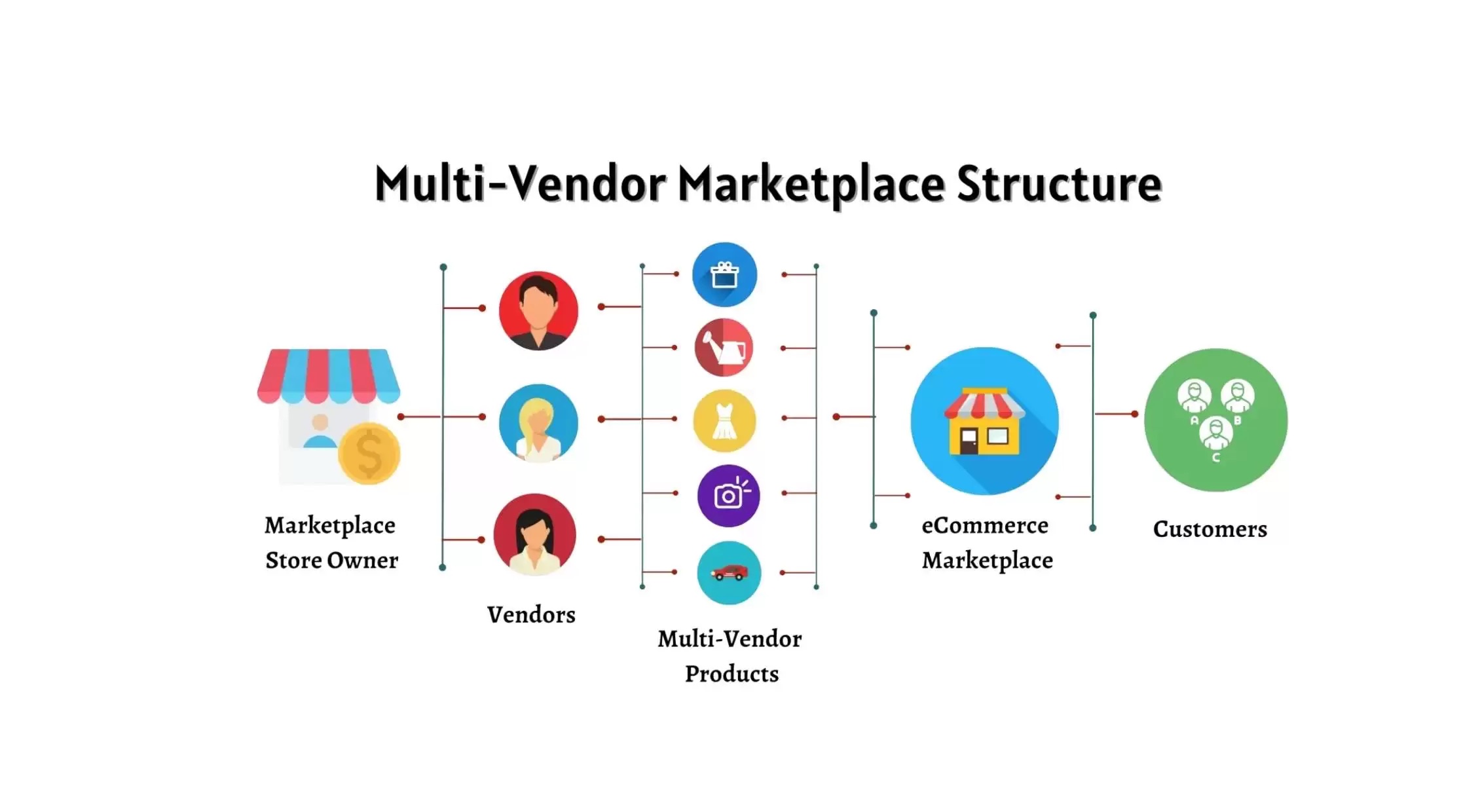
Inspired by multi-vendor commerce platforms like Amazon or Etsy, marketplaces connect independent sellers and buyers within a shared digital storefront.
Explore our multi-vendor Amazon clone platform →
Read marketplace development guide →
Inspired by on-demand dispatch models like Uber or delivery services, these systems connect local service providers with customers in real time.
Inspired by platforms like Airbnb, Booking.com, or Practo, booking engines manage scheduling, availability, and reservations for accommodations, medical consultations, or rentals.
Inspired by social networks like Facebook or creator hubs, community platforms facilitate user-generated content, member engagement, and community monetization.
Inspired by modern B2B SaaS software, companies build proprietary web tools offering recurring subscription access, organization workspaces, and centralized dashboards.
Discover our custom software development services →
Read scalable SaaS architecture guide →
Whether you are planning a multi-vendor marketplace, an on-demand service app, or a custom subscription platform, TechXons engineers your platform with independently developed code, sensible security practices, and ownership and licensing terms defined according to the project agreement.
Discuss Your Project with Our TeamOne of the most important distinctions in software engineering is the difference between website cloning (independent re-engineering) and website copying (unauthorized intellectual property duplication). Conflating these two concepts creates serious legal, financial, and practical risks for business owners.
Developing a platform inspired by a common business model—such as a shopping cart, booking calendar, or dispatch system—can be legitimate when built independently and in compliance with applicable intellectual property, copyright, trademark, licensing, and other relevant laws. However, copying another company's source code, visual design, text, or brand identity can violate copyright, trademark, and unfair competition laws. Because specific legal requirements vary by jurisdiction, businesses should review unique legal situations with a qualified legal professional. Here are the practical boundaries:
| Criteria | Legitimate Website Cloning | Illegal Website Copying |
|---|---|---|
| Source Code | Independently developed codebase written to match the project's specific requirements. | Stolen, scraped, or reverse-compiled proprietary code and stylesheets. |
| Design & Branding | Original logo, custom color palette, independent typography, and bespoke UI assets. | Directly ripping logos, trade dress, product images, and brand identifiers. |
| Text & Copy | Original copywriting, policy documents, user guides, and product descriptions. | Plagiarized website copy, stolen blog articles, or duplicated legal terms. |
| Database & Records | Independently created database populated with the client's own genuine business data. | Scraped customer profiles, proprietary catalogs, private reviews, or confidential data. |
| Legal Status | Can be legitimate when independently developed and compliant with applicable intellectual property, copyright, trademark, licensing, and other relevant laws. | Unlawful violation of copyright law, trademark law, the DMCA, or computer fraud regulations. |
Legal Notice: This article provides technical and strategic software development information and does not constitute formal legal advice. Intellectual property, copyright, patent, trademark, and competition laws vary by jurisdiction. Specific commercial compliance questions and legal situations should be reviewed with a qualified legal professional.
Building a platform inspired by an existing product is about practical risk reduction. Businesses choose this path because it solves real commercial and technical challenges:
A common misconception among non-technical founders is that a website clone is rigid or locked into the exact features of the reference site. In reality, software is flexible. Every layer of the application can be adapted to match your specific business requirements:
Custom brand typography, bespoke color palettes, dark/light theme switching, responsive grid layouts, and custom vector icons matching your company's branding.
Configurable vendor commission percentages, recurring membership tiers, premium listing fees, dynamic delivery surcharges, or transaction processing fees.
Tailored order cancellation windows, automated customer refund workflows, custom driver dispatch radii, vendor identity verification, or multi-step quote approvals.
Connecting regional payment gateways, specialized shipping carriers, automated tax calculation APIs, enterprise single sign-on (SSO), or accounting software.
When working with an experienced software development team like TechXons, building a platform inspired by an existing product follows a structured engineering lifecycle:
Because every business has different operational requirements, there is no single fixed price for building a platform inspired by an existing product. Instead, total engineering effort and budget are driven by several key technical factors:
When planning your project, you have three primary engineering paths to choose from. Understanding the trade-offs will help you select the right approach for your budget and timeline:
| Dimension | Ready-Made Solution | Customized Solution | Bespoke Custom Development |
|---|---|---|---|
| Time to Market | Fastest: Core features, database schema, and templates are pre-built and ready for deployment. | Moderate: Foundational logic is deployed quickly, followed by targeted custom features and branding. | Longer: Engineered from the ground up through structured design and development milestones. |
| Development Effort | Configuration, branding adjustments, and environment setup. | Partial software development for custom modules, tailored APIs, and third-party tools. | Full-lifecycle engineering across database architecture, backend logic, and frontend UI. |
| Workflow Flexibility | Follows standard industry workflows built into the foundational platform. | Combines standard core modules with customized business rules and local integrations. | Custom software architecture designed around the business's specific operational needs. |
| Code Ownership | Self-hosted software license with access to source files for modifications. | Self-hosted platform license, with terms for custom modules defined in the project agreement. | Ownership and licensing terms for custom code and database structures are governed by the project agreement. |
| When to Choose This Path |
|
|
|
For many businesses, starting with a foundational platform—such as our multi-vendor Amazon clone platform or on-demand Uber clone platform—provides a practical starting point. It validates real customer demand quickly, while leaving the door open to build custom features as operations expand.
At TechXons, we provide software engineering and technical consulting services to help businesses launch reliable platforms inspired by proven digital concepts. Whether you are looking to customize an existing foundational solution or engineer a bespoke platform from scratch, our team provides:
Partner with TechXons to turn proven digital concepts into practical, scalable web applications. Our software architects help you evaluate the right path—whether customizing a turnkey foundation or engineering a bespoke platform.
Website cloning is the software engineering practice of developing a new website or web application inspired by the core workflows, information architecture, and business logic of an established platform. It involves writing original source code and designing custom interfaces rather than copying protected assets.
Website cloning can be legitimate when the platform is independently developed and the project complies with applicable intellectual property, copyright, trademark, licensing, and other relevant laws. It becomes unlawful if someone copies proprietary source code, reproduces copyrighted media, infringes on registered trademarks, or accesses private data. Because legal rules vary by jurisdiction, specific legal situations should be reviewed with a qualified legal professional.
No. Cloning re-engineers a platform's workflows, architecture, and business logic using new, original code. Copying refers to unauthorized theft of protected intellectual property, source code, media, and branding.
In many jurisdictions, broad business concepts, standard business models, and common functional workflows (such as online marketplaces, booking calendars, or user feeds) are not protected by copyright in themselves. Building a platform with similar functionality can be legitimate when the platform is independently developed and the project complies with applicable intellectual property, copyright, trademark, licensing, and other relevant laws. Because legal boundaries, trade dress rules, and patent protections vary by jurisdiction, specific legal situations should be reviewed with a qualified legal professional.
Development costs depend on the scope of the project, including feature complexity, the number of distinct user roles, required third-party API integrations, whether you need companion mobile apps, UI/UX customizability, and backend scalability requirements.
Yes, every aspect of a website clone can be customized, including the visual UI/UX design, monetization rules, database schema, payment gateways, administrative workflows, and third-party API integrations.
Choose a ready-made clone solution if you want to validate a market idea quickly with a lower initial investment. Choose a customized solution if you need standard core mechanics with specific localized integrations. Choose custom development if you need proprietary architecture, enterprise-level concurrency, or unique business logic.